

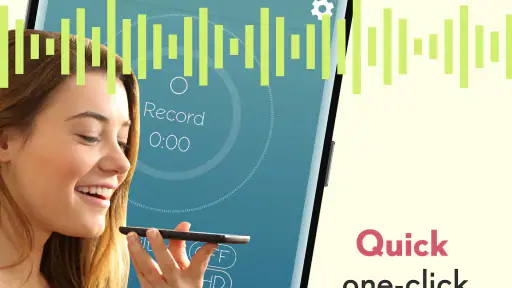
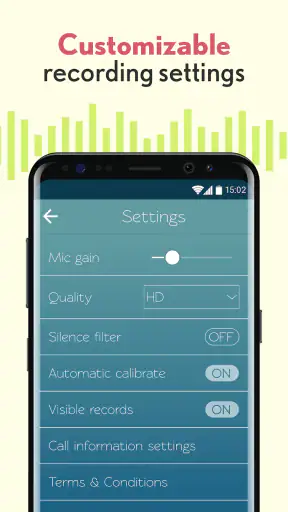
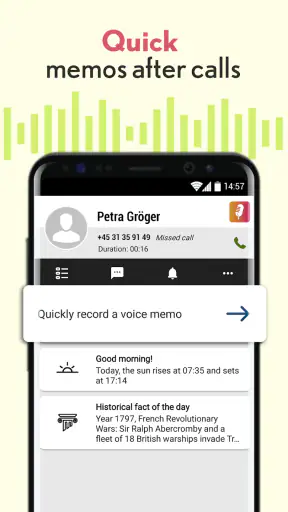
I tested Voice Recorder: Memos & Audio as a practical Music & Audio app rather than treating it like a studio workstation. Its appeal is easy to understand: when I need to capture a thought, a spoken reminder, or a short piece of audio, I want to start recording without navigating through a complicated project. This app is built around that quick action, and the store summary specifically highlights recording voice memos after a call ends.
That focus makes it interesting from an inclusive-use perspective. A recorder can be useful in very different situations: someone may need a low-effort way to remember an idea, a student may want to capture a spoken explanation, or a person with limited ability to type may prefer speaking to writing. At the same time, fast recording is only genuinely helpful when the controls are easy to find, the result is understandable, and the surrounding environment does not make operation difficult.
Voice Recorder: Memos & Audio is free to install, rated for Everyone, and developed by Voice Recorder & Memos Studios. It has reached over five million installs, with a 4.3 average from around twenty-nine thousand ratings and roughly four thousand written reviews. Those numbers suggest a well-established everyday tool, although popularity alone does not guarantee that its interface will suit every user.
How the interface supports quick, readable recording
My first impression is that the app makes sense when I approach it with one question: “How quickly can I begin?” That is the right test for a voice recorder. I do not want to create a project, choose a complicated recording profile, or search through several layers before speaking. The product’s short description, “Voice Recorder,” is plain, but it accurately sets the expectation that this is a focused utility rather than a full audio-production environment.
The most useful design choice for many people is the direct relationship between opening the app and recording. A simple recorder is easier to understand than an audio editor filled with tracks, effects, timelines, and unfamiliar symbols. For users who are new to recording, that reduced cognitive load matters. I can concentrate on what I want to say instead of learning a production workflow first.
Readability is not only about large text. It also depends on whether labels are specific enough to explain what will happen next. A clearly named recording action is more reassuring than an icon that requires guesswork. This is particularly important for someone who is tired, distracted, anxious about missing a thought, or using the app while moving between tasks.
I would still recommend spending a few quiet minutes exploring the main screen before relying on it in an urgent situation. A person with memory difficulties or limited confidence with mobile apps benefits from rehearsing the basic path: open the app, identify the recording control, start, stop, and locate the saved memo. That small preparation can prevent the stress of trying to learn the interface while an important conversation or idea is already happening.
The app’s current version is 4.10.3.2148, and it supports devices running operating system version 10 or later. That makes compatibility a practical first check for anyone using an older phone. If the device meets that requirement, the next question is less about technical sophistication and more about whether the user can comfortably recognize and activate the controls on their particular screen.
Why a simple layout can help different users
For users with attention-related difficulties, a narrow purpose is a real advantage. A recorder that keeps the main task visible can reduce the number of decisions needed before speaking. I find this especially useful for fleeting ideas: I can record a rough thought first and organize it later, instead of losing it while trying to write a polished note.
For users with reading difficulties, short labels and a predictable sequence may be easier than a dense editing interface. The app is also more approachable for someone who does not want to learn audio terminology. I would not describe it as a specialist tool for accessibility, because there is no reason to assume that every user’s needs are handled equally well, but its basic purpose is easier to grasp than that of a professional recorder.
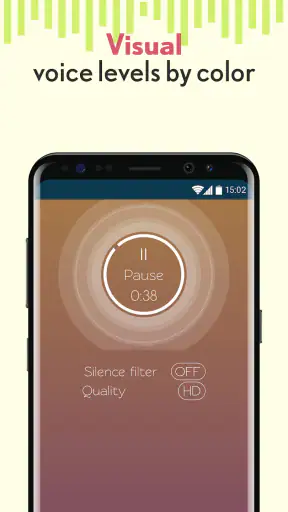
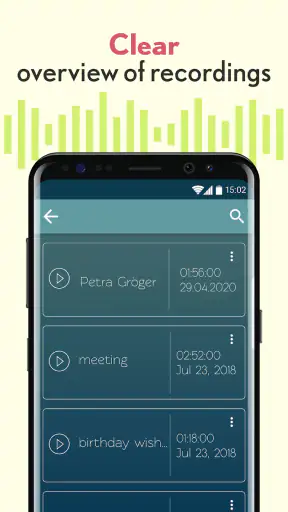
People who prefer visual confirmation should pay attention to what the app shows while recording and after stopping. A recording tool needs to make the state of the session understandable: am I recording now, or did I stop? Has the memo been saved? Can I find it again? These are simple questions, but uncertainty at any of those points can make an otherwise useful tool frustrating.
I also think the app suits users who prefer voice over typing. That includes people with temporary hand strain, those who find a phone keyboard uncomfortable, and anyone who thinks more naturally aloud. The benefit is not limited to formal dictation. A thirty-second spoken reminder can be more realistic than opening a notes app and composing several sentences.
Motor and sensory considerations in everyday use
A recording app has a particular advantage for people who find typing physically demanding: speaking can replace repeated taps and keyboard input. The action is direct, and a short memo does not require precise text entry. For someone with hand fatigue, tremor, or limited dexterity, that can make capturing information more practical than writing it down.
However, voice recording still demands physical control. Starting and stopping normally requires accurate touch interaction, and a user may need to hold the phone steady while positioning it near the speaker. If tapping a small control is difficult, the app may not remove the barrier completely; it simply moves the main task from typing to touch and speech.
My practical advice is to use a deliberate pause before speaking. Tap the recording control, wait briefly, and then begin. This reduces the chance of losing the first words if the user’s movement is slower or if the app needs a moment to change state. The same habit helps anyone recording in a hurry, not only people with motor limitations.
For users with hearing loss, a voice recorder has an obvious limitation: the recorded material is still primarily audio. The app may be useful for preserving a spoken explanation that can later be reviewed with assistance, but it should not automatically be treated as a transcription tool. If a person needs searchable text, captions, or a written record, a dedicated transcription solution may be a better fit.
People with low vision should consider how comfortably they can identify the controls and review saved recordings on their device. Voice interaction provided by the phone may help with navigation, but the quality of that experience depends on the operating system and personal settings as well as the app. I would test the main recording and playback actions before depending on it for an important task.
Users who are sensitive to sudden sounds should also think about the recording environment. The app can capture a voice memo, but it cannot make a noisy room quiet or separate every speaker perfectly. A calm location, a consistent distance from the phone, and a short test recording can improve the result more than repeatedly changing settings without knowing what problem is being solved.
Situational access: where the app is genuinely useful
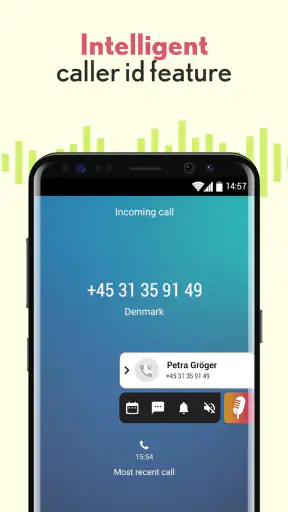
The clearest everyday scenario is the post-call reminder. Imagine finishing a phone conversation while walking into another task and suddenly remembering three things that must not be forgotten. Opening a notes app may take longer than speaking, and typing on the move can be awkward. A quick voice memo lets me say the details while they are still fresh, then return to the recording when I have time to act on them.
That workflow is particularly helpful for people who process information better through speech. After a medical appointment, for example, a user might record a private reminder about what to ask a caregiver later. After a class, a student could capture a personal summary before the details fade. A freelancer might record an idea for a project while away from a desk. In each case, the value is speed and low friction, not polished sound.
I would use it for planning as well. Instead of trying to arrange a complicated to-do list in a small interface, I can speak freely: what needs doing, why it matters, and what the next step should be. Later, I can listen back and convert the useful parts into a written plan. This two-stage process is often easier for people who generate ideas verbally but prefer written structure for execution.
The app can also work as a memory aid for people who find handwriting or typing tiring. A spoken memo preserves tone and context that a short text note might lose. The trade-off is that listening takes time. A folder full of unlabelled or vague recordings can become difficult to search mentally, so I recommend saying the topic at the beginning of each memo, such as “shopping list” or “follow-up question,” before adding the details.
That naming habit is one of the most useful non-obvious improvements to the basic workflow. It makes playback easier because I can identify the purpose from the opening words instead of listening to several seconds of context. I also suggest keeping each memo focused on one subject. A single long recording containing errands, ideas, and reminders may feel efficient initially, but separate short recordings are easier to review.
Another useful habit is a quick playback check when the recording matters. Speak a sentence, stop, and listen to confirm that the volume and surroundings were acceptable. This is especially worthwhile for users who cannot easily judge the microphone position or who are recording in a place with background noise. It takes a little extra time, but it prevents discovering later that an important message is difficult to understand.
Where it compares well with familiar alternatives
Compared with the default recorder that may already be installed on a phone, Voice Recorder: Memos & Audio is most appealing to someone who wants a dedicated place for spoken notes and a purpose that is easy to understand. The “after a call” use case gives it a practical identity beyond simply being another audio button. If the built-in tool already handles quick recording clearly, switching may not be necessary; the advantage here is the focused memo-oriented approach.
Compared with a notes app, this is better when speaking is faster or physically easier than typing. It is worse when I need searchable words, a written checklist, or quick scanning across many items. I would choose the recorder for capturing thoughts and the notes app for information I need to find instantly by reading.
Compared with a full audio editor, this app should be less intimidating for casual use. A musician or podcaster who needs multitrack work, detailed trimming, mixing, or advanced sound control should look elsewhere. The simplicity that helps a first-time user can feel restrictive to someone who wants to shape recordings professionally.
Compared with transcription-focused tools, it is the more straightforward choice when the original voice matters and a playable memo is enough. It is not the obvious choice when accessibility depends on converting speech into text. That distinction is important: recording and transcription solve related but different problems.
The free price makes experimentation easy, but in-app purchases range from $1.99 to $28.99 per item. I would begin with the free experience and decide whether any paid option solves a problem I actually have. A person choosing the app specifically to avoid all optional spending should examine the purchase prompts carefully rather than assuming every part of the experience is permanently free.
Remaining barriers I would consider before relying on it
The biggest barrier is environmental. A phone recorder cannot guarantee clear speech in traffic, a crowded room, or a group conversation where several people speak at once. Users with hearing or processing difficulties may find playback harder than the original conversation, especially when voices overlap. In those circumstances, written notes, a quieter location, or a dedicated transcription workflow may be more inclusive.
Privacy is another practical consideration. A voice memo can contain names, health details, work information, or other sensitive material. I would avoid recording other people without appropriate permission and would think carefully before using the app for confidential conversations. The app’s convenience should not replace good judgment about who may hear or access the recording.
There is also a risk of building an unmanageable archive. Voice notes are quick to create, but they are slower to scan than text. If I record every thought without a review routine, the collection can become a second source of clutter. A weekly cleanup, clear opening phrases, and short topic-based memos make the tool much more useful over time.
People with severe motor limitations may still need another method of starting or stopping a recording if touch controls are difficult. The app’s usefulness in that situation depends on how well the phone’s own access settings work with it. I would test the complete action, not just whether the app opens: starting, stopping, locating the memo, and playing it back should all be comfortable.
Older devices also deserve attention. Since the app requires operating system version 10 or later, someone using an older phone may need to check compatibility before planning a workflow around it. Even on a compatible device, performance, screen size, audio hardware, and system-level accessibility settings can change how easy the experience feels.
Finally, a voice memo is not automatically a reliable record of a formal event. For interviews, legal matters, medical instructions, or important meetings, I would confirm the rules and expectations first and use a backup method when accuracy matters. The app is strongest as a personal capture tool, not as a substitute for every form of documentation.
My inclusive verdict after using it
I see Voice Recorder: Memos & Audio as a sensible choice for people who want spoken reminders without the weight of a professional audio application. Its strongest quality is the short path from thought to recording. That benefits users who type slowly, think aloud, struggle with attention-heavy interfaces, or simply need to preserve an idea before it disappears.
The app is also a reasonable starting point for families, students, older users, and casual phone owners because it is free to install and carries an Everyone content rating. The established audience—over five million installs and a 4.3 average from around twenty-nine thousand ratings—makes it feel like a familiar category choice rather than an obscure experiment, while the current version shows that it remains an actively relevant option for compatible devices.
Still, I would not recommend it automatically to everyone. Users who need accurate speech-to-text, extensive editing, searchable written content, or advanced recording control should choose a more specialized alternative. People with significant vision, hearing, or motor barriers should test the full workflow with their own device settings before trusting it for essential information.
My best recommendation is to treat it as a quick-capture companion. Say the subject at the beginning, keep each memo focused, make a short test recording in difficult environments, and review important audio soon afterward. With those habits, the app becomes more than a generic record button: it gives spoken ideas a low-effort path into a usable personal memory system.
In my experience, that is where it earns its place. It does not try to replace notes, transcription services, or studio software. Instead, it serves the moment when speaking is easier than typing and speed matters more than polish. For that specific situation, I would recommend giving it a try, while keeping its environmental, organizational, and accessibility limits in mind.


